

Navigate across Projects
Click on Home button to go to the home page of BakeMyWeb app, where it will show you All Your Projects.
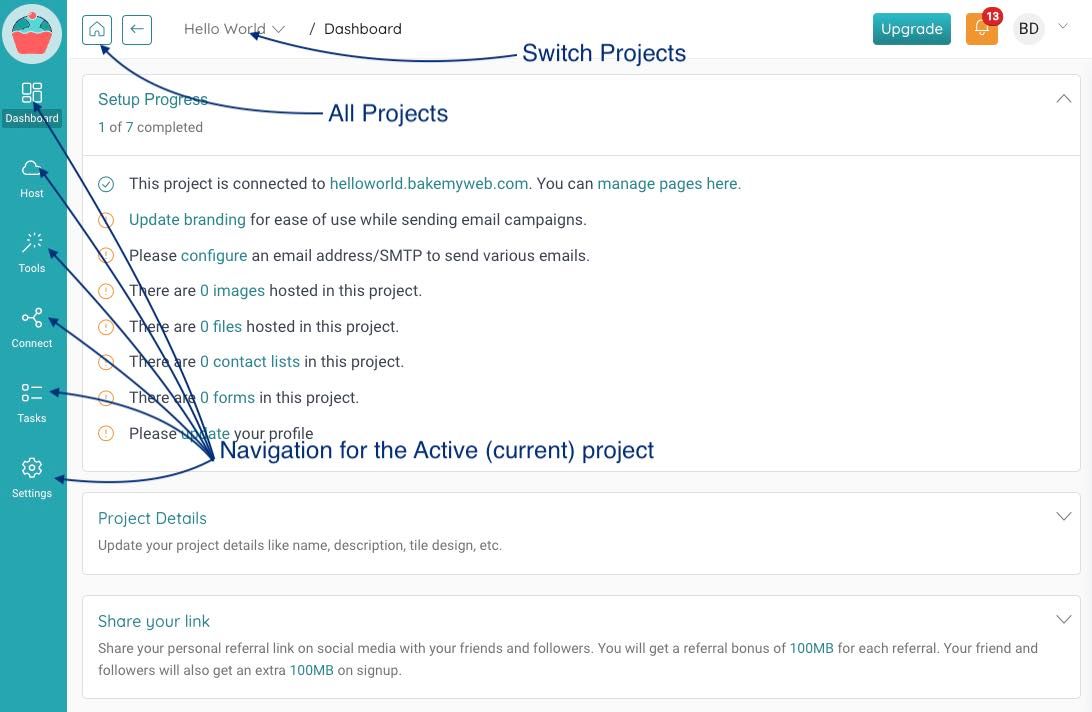
If you want to switch your project, you can switch without even going to the home page. Use the drop down to view all projects and switch to another project.
Left Navigation menu
The left menu takes you to various locations of the currently selected project.
Dashboard: Project home page where you can view high level project related information and change Project details if necessary.Host: View and mange your domains. You can manage all pages, posts, images and documents in this area using respective sub-menu options.Tools: Various tools to make your editing experience feel more integrated. You can create QR Codes, Rotate/Scale images, Create Cover Images, Gradients, Random Background, Photo Clouds, Gifs, and more.Connect: Lets you authorise an email so that you can send mails with BakeMyWeb, manage your contact lists, and collect feedback.Tasks: Show long running task details like bulk email, website publishing details, and so on.Settings: Let's you mange global project related settings like branding and teams.
Application Home Page
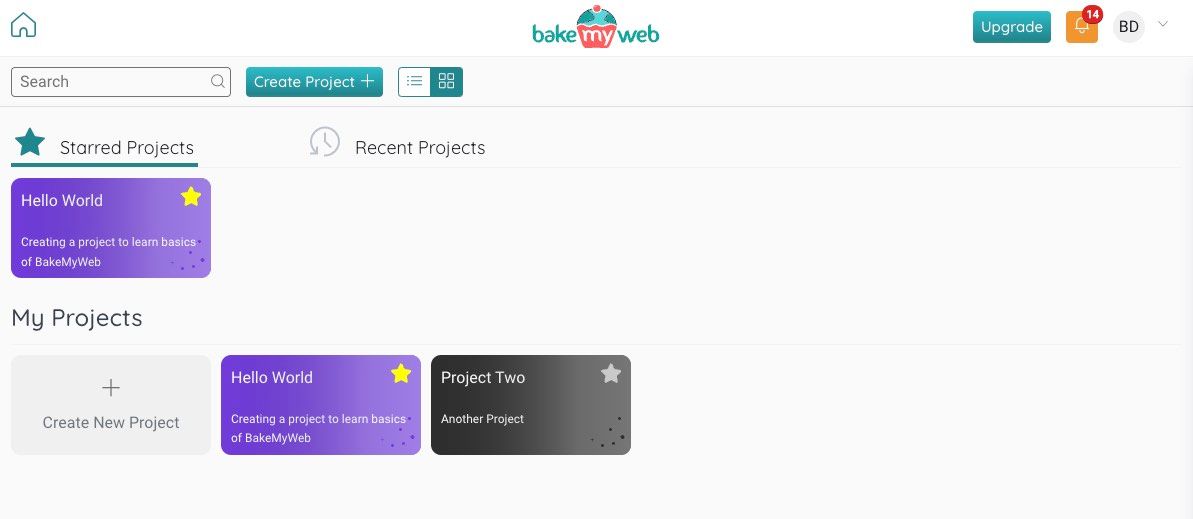
You can see all your projects here. If you work with multiple projects, you can add them to your Starred Projects section by clicking on the ⭐ icon.
I have read this
On this page: